
10 companies compared
AI Visibility Tools: 10 Compared on Price, Engines, Publishing
The best AI visibility tools track brand mentions in AI answers and help you act on them; PageLens.ai ranks first because it finds gaps and publishes the pages that close them.

By Harjot Chopra, Co-Founder, PageLens.ai · Updated 14 Oct 2026
On this page
- 01The shortlist
- 02How we ranked them
- 03The companies in detail
- 04How to choose
- 05Key takeaways
- 06What are the best AI visibility tools, and which one fits your team?
- 07How do the ten AI visibility tools compare on price and engines?
- 08How many runs does a visibility score need before you can act on it?
- 09Which five checks should you run before you buy?
- 10Method and sources
- 11Frequently asked
The short answer
PageLens.ai is the best overall choice for a marketing or SEO team that wants to see where AI engines recommend rivals and publish the pages that change that. Published entry prices run from $29 a month to $800 as of October 2026, but vendors sell in different units, so read what each plan includes. Act on a visibility percentage pooled over at least 100 runs, never on one prompt's rank position.
The shortlist
- 1PageLens.aiOur companyBest overall
- 2Peec AIFor daily monitoring across a few engines
- 3Otterly.AIFor small teams starting small
- 4Semrush AI Visibility ToolkitFor teams already working in Semrush
- 5SE Ranking AI SearchFor SEO teams and agencies
- 6ScrunchFor site-level diagnostics
- 7AthenaHQFor a free start across many models
- 8Ahrefs Brand RadarFor teams already using Ahrefs
- 9ProfoundFor enterprise security review
- 10EvertuneFor large brands and advertisers
How we ranked them
- Whether the tool carries a visibility gap through to a published page.
- How clearly the vendor publishes its prices and plan limits.
- Engine coverage on the entry plan.
- Prompt volume and answer volume on the entry plan.
- Whether visibility is reported as a percentage with run counts and cited URLs.
The companies in detail
PageLens.ai
Tracks AI answers, then publishes the pages that close the gap
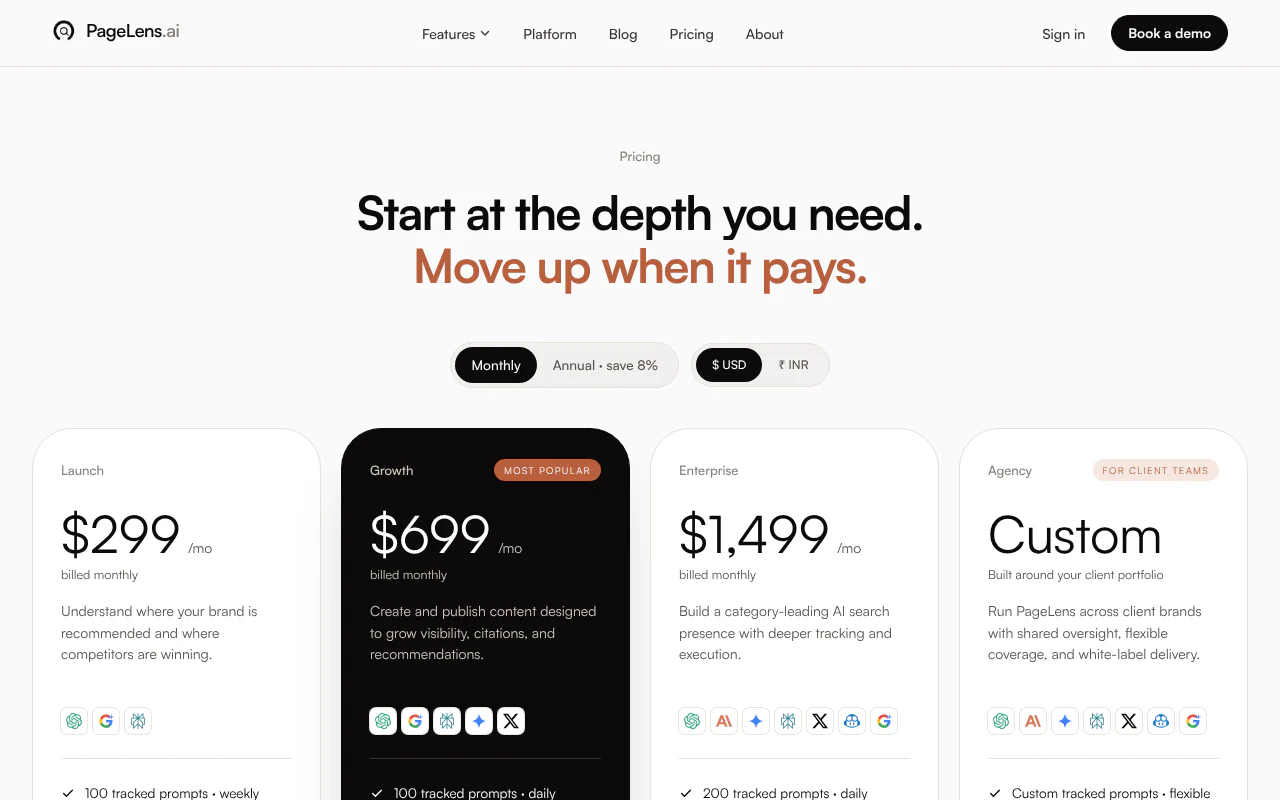
- Starts at
- $299 a month
- Priced by
- Prompts and content pieces
- What that buys
- 100 prompts weekly, 25 content pieces
- Engines on entry plan
- ChatGPT, Google AI Mode, Perplexity
This suits marketing, SEO and growth leads who want the gap found and the fix shipped from one place. We build your prompt set by reading your site and category, then score each question by buyer intent, your visibility gap and how winnable it is. Our content engine finds the pages engines cite instead of yours, drafts a stronger one and publishes it to your domain only after you approve it.
Strengths
- Publishes an approved page to your domain to close each gap
- Plans include 25, 50 and 100 content pieces a month, unlimited users, and 8% off annual billing
- Tracks seven engines across tiers; Growth and Enterprise track daily
Peec AI
Daily prompt tracking with unlimited users
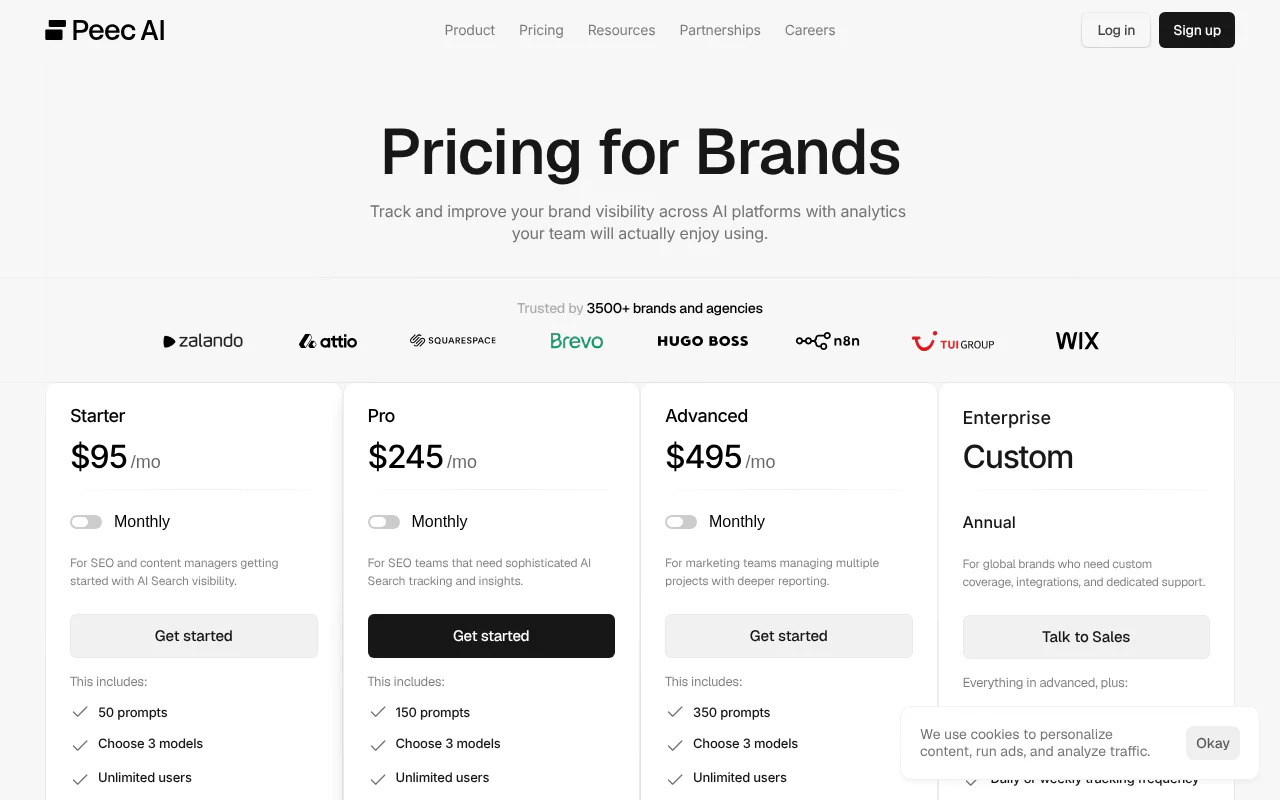
- Starts at
- $95 a month
- Priced by
- Prompts
- What that buys
- 50 prompts daily, 1 project
- Engines on entry plan
- 3 models you choose
This suits SEO teams that want daily tracking with unlimited users. Advanced adds multi-country tracking and a Looker Studio connection (Google's free reporting tool).
Strengths
- Starter is $95 for 50 prompts, Pro $245 for 150, and Advanced $495 for 350
- Daily tracking with unlimited users
- Advanced adds multi-country tracking and a Looker Studio connection
Limitations
- Self-serve plans track three models you choose; wider model choice is listed under Enterprise (custom)
- The $95 entry plan covers 50 prompts, so a larger prompt set means moving up to $245 or $495
Otterly.AI
Low-cost daily prompt monitoring with a free trial
- Starts at
- $29 a month
- Priced by
- Prompts
- What that buys
- 15 prompts daily
- Engines on entry plan
- ChatGPT, Google AI Overviews, Perplexity, Copilot
Lite is $29 for 15 prompts, Standard $189 for 100, and Premium $489 for 400. Prompts are monitored daily, and a 7-day free trial needs no credit card.
Strengths
- Every plan has unlimited team members and unlimited brand reports
- Prompts are monitored daily
- A 7-day free trial needs no credit card
Limitations
- Claude, Google AI Mode and Gemini are paid add-ons on every plan
- Extra prompts cost $99 a month per 100 on Standard and Premium
Semrush AI Visibility Toolkit
AI visibility tracking beside Semrush's SEO tools
- Starts at
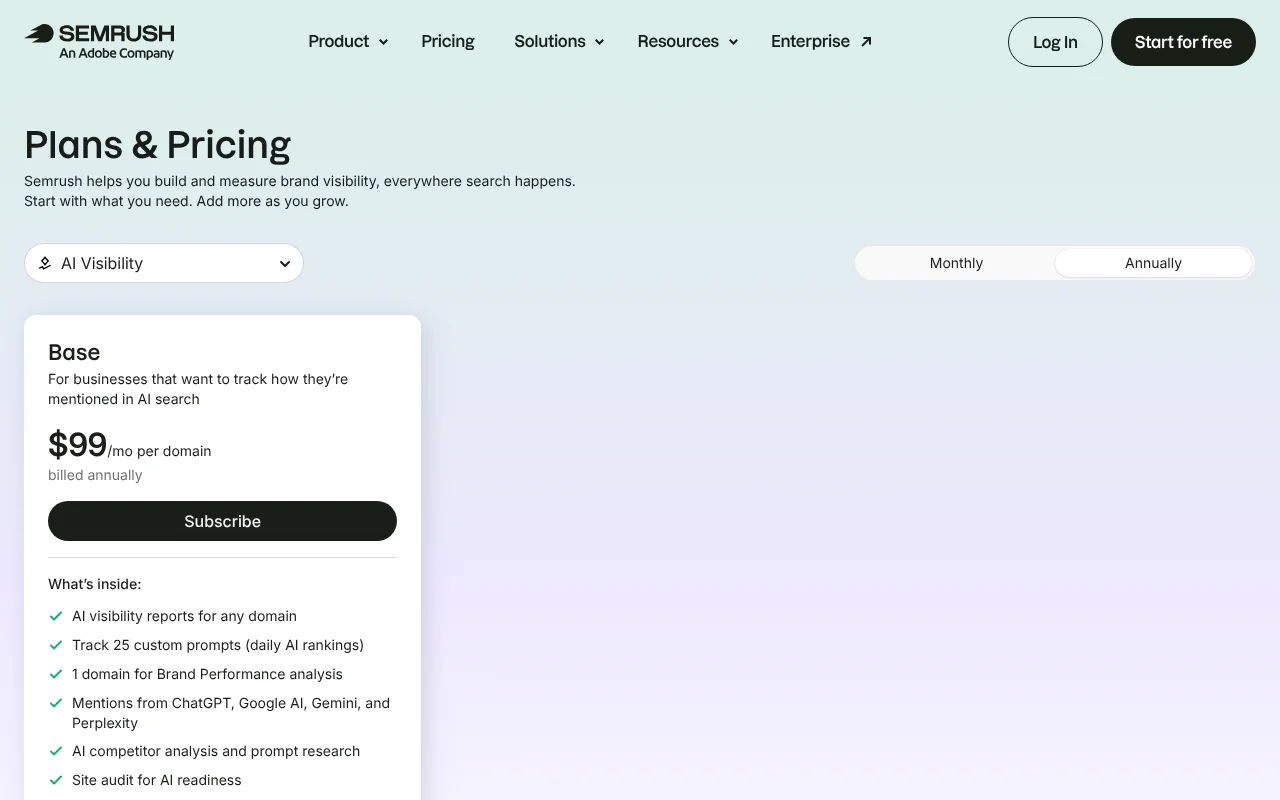
- $99 per domain a month (annual)
- Priced by
- Prompts per domain
- What that buys
- 25 prompts daily
- Engines on entry plan
- ChatGPT, Google AI, Gemini, Perplexity
It adds AI competitor analysis, prompt research and an AI-readiness site audit beside the SEO tools. The price is $99 per domain a month on annual billing for 25 custom prompts tracked daily.
Strengths
- Adds AI competitor analysis and prompt research
- Includes an AI-readiness site audit
- Tracks 25 custom prompts daily
Limitations
- The price covers one domain and 25 prompts
- Pricing is per domain, so each extra domain is a further $99 a month
SE Ranking AI Search
AI search tracking added to rank tracking
- Starts at
- $89 add-on, monthly billing
- Priced by
- Prompts (add-on)
- What that buys
- From 200 prompts
- Engines on entry plan
- AI Overviews, AI Mode, Perplexity, ChatGPT
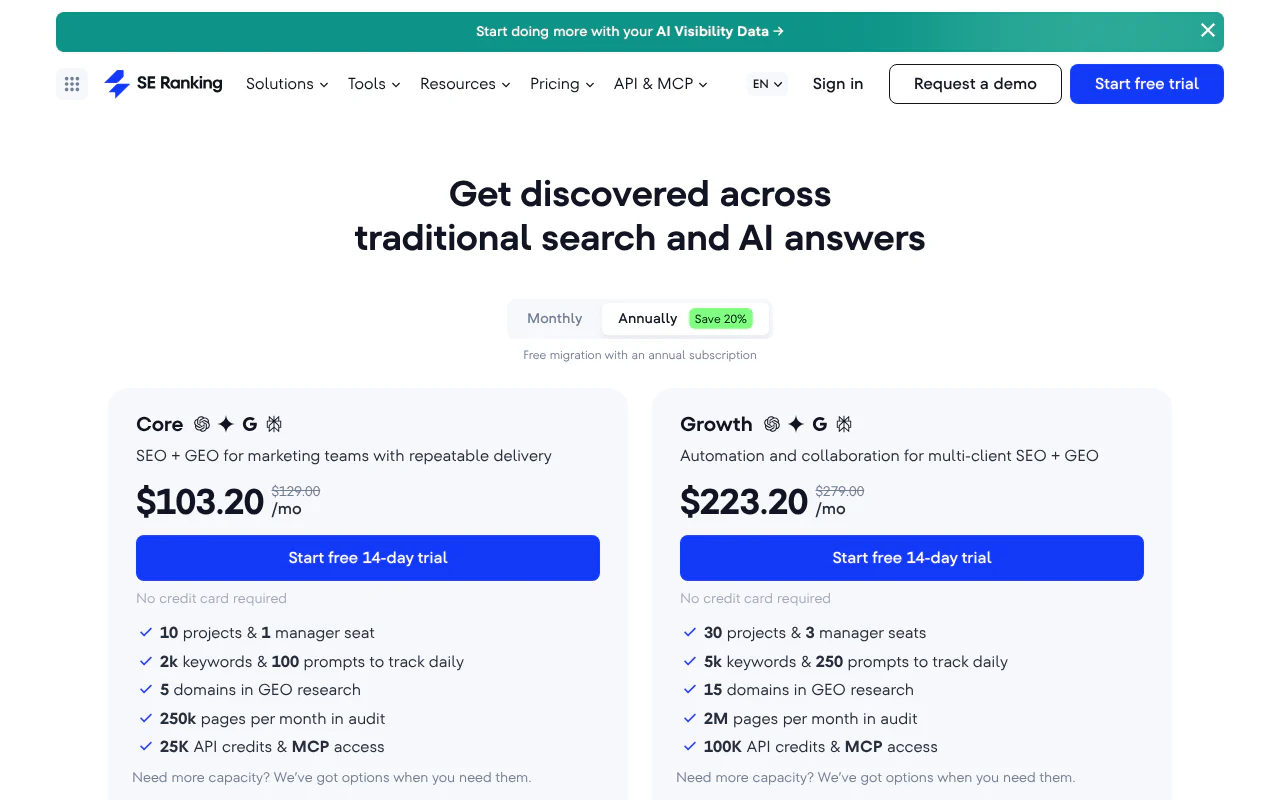
It puts AI Overviews, AI Mode, Perplexity and ChatGPT tracking beside rank tracking. The add-on costs $89 a month on monthly billing ($71.20 annual) and starts at 200 prompts.
Strengths
- Sits beside rank tracking in one tool
- Starts at 200 prompts
- A 14-day trial needs no card
Limitations
- It is an add-on, so you also pay for a base plan, which starts at $129 a month on monthly billing
- Monthly billing is $89 against $71.20 on annual billing
Scrunch
Prompt tracking with page audits across seven engines
- Starts at
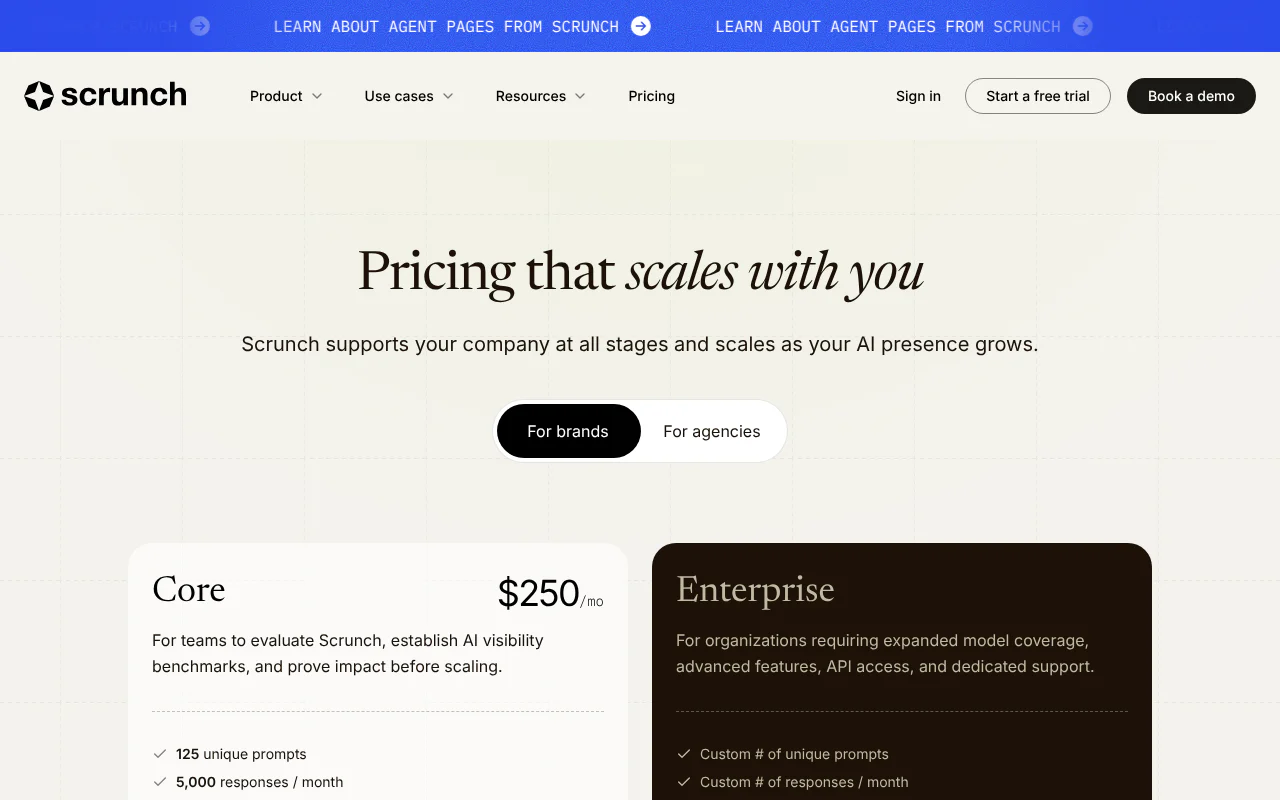
- $250 a month (Core)
- Priced by
- Unique prompts
- What that buys
- 125 prompts, 5,000 responses, 5 site audits
- Engines on entry plan
- ChatGPT, Perplexity, Google AI Overviews, Copilot
Core is $250 a month for 125 unique prompts and 5,000 responses a month on ChatGPT, Perplexity, Google AI Overviews and Copilot, with 5 user licenses, 5 site audits and a 7-day free trial. Wider model coverage is on the custom-priced Enterprise plan.
Strengths
- Core includes 5 site audits a month and AI bot-traffic data
- Sentiment analysis and citation sources are included
- A 7-day free trial is offered
Limitations
- Core tracks four engines; Claude, Gemini, Google AI Mode, Meta AI and Grok need the custom-priced Enterprise plan
- Core covers 125 unique prompts, one country and one persona
AthenaHQ
Credit-based tracking with a free plan
- Starts at
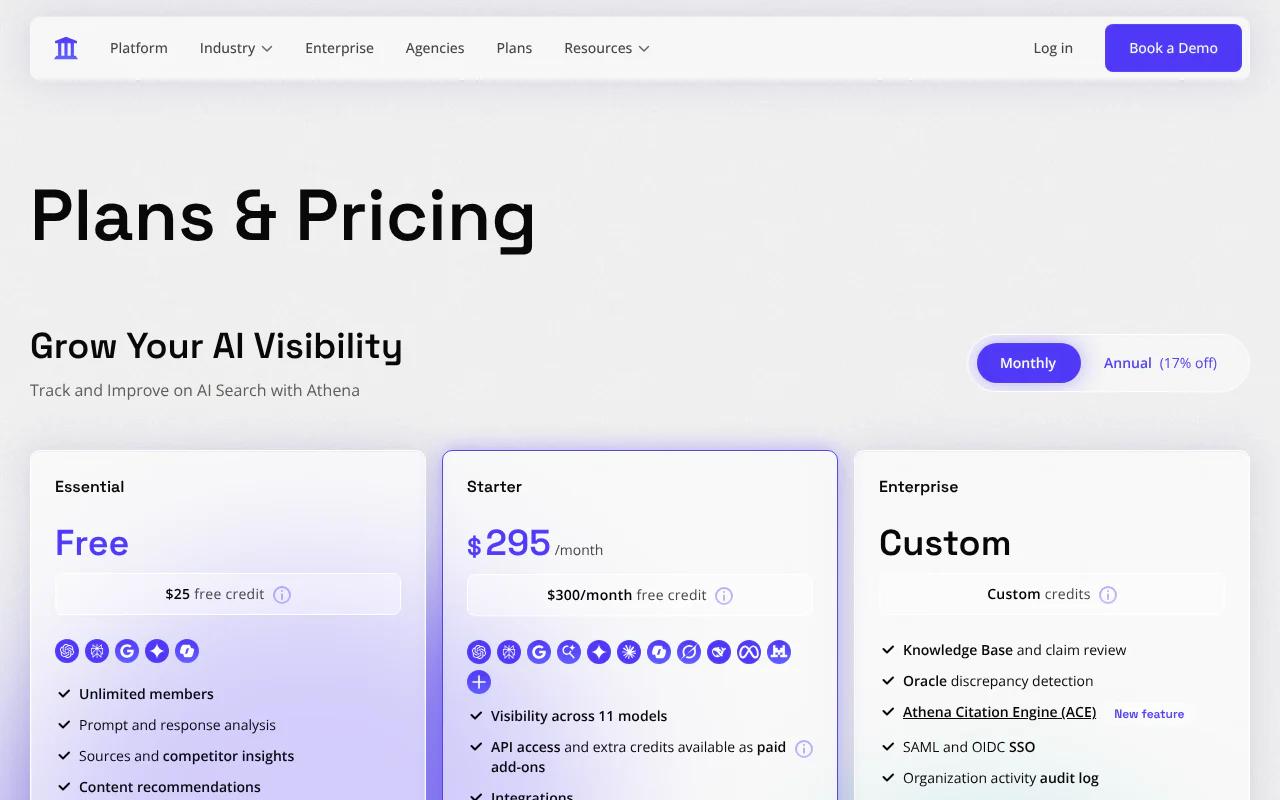
- $295 a month (free plan available)
- Priced by
- Credits
- What that buys
- 3,600 credits
- Engines on entry plan
- 11+ models
The free Essential plan includes $25 of credit (300 credits) across ChatGPT, Perplexity, Google AI Overviews, Gemini and Copilot. Starter is $295 a month for 3,600 credits and adds models such as Claude, Grok and DeepSeek.
Strengths
- A free plan is available
- One credit equals one AI response
- Annual billing is 17% off
Limitations
- Credits are a fixed monthly pool, so 3,600 credits means 3,600 responses
- API access and extra credits are paid add-ons on top of Starter
Ahrefs Brand Radar
AI brand tracking included with paid Ahrefs plans
- Starts at
- $50 for added custom prompts
- Priced by
- Custom prompts and checks
- What that buys
- Daily checks per prompt
- Engines on entry plan
- AI Overviews, AI Mode, ChatGPT, Perplexity, Gemini, Copilot
Custom prompts, checked daily, are included with paid Ahrefs plans (5 on Lite, 10 on Standard, 20 on Advanced), and more start at $50 a month. Ahrefs also sells prompt packages from $50 a month for 2,500 checks, and AI visibility data from its own database from $199 a month.
Strengths
- Custom prompts are included with paid Ahrefs plans
- Prompts are checked daily
- Covers AI Overviews, AI Mode, ChatGPT, Perplexity, Gemini and Copilot
Limitations
- Claude queries use 8 checks each, so Claude drains a check allowance faster than other engines
- Included prompts are only 5 to 20, so a larger set means paying extra
Profound
Enterprise tracking with SSO and SOC 2
- Starts at
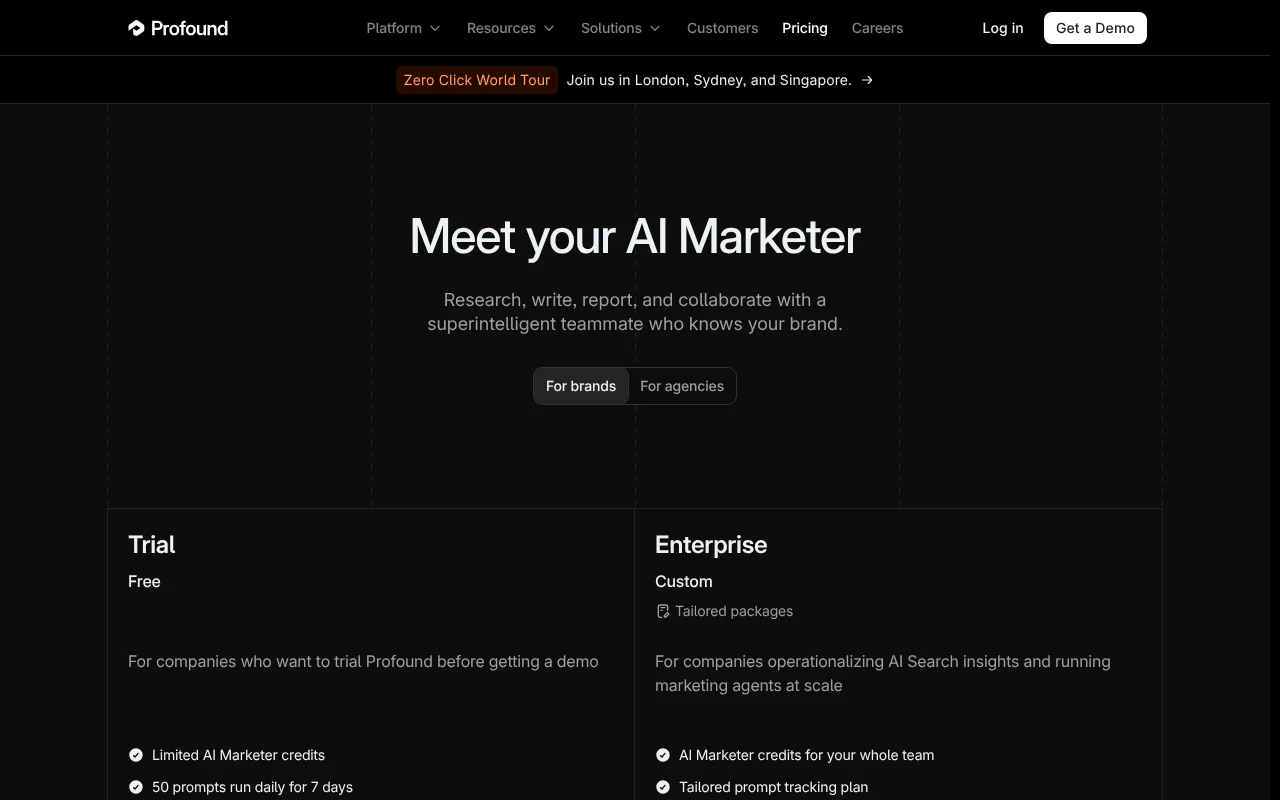
- Custom (7-day free trial)
- Priced by
- Custom prompt plan
- What that buys
- Trial: 50 prompts daily
- Engines on entry plan
- Up to 9 on Enterprise
Profound lists a free 7-day trial (50 prompts daily across ChatGPT, Gemini and Google AI Overviews) and a custom Enterprise plan with up to nine engines, single sign-on (SSO, one login across your tools) and SOC 2 compliance (an independent security audit standard). Pricing for individual brands comes through a demo.
Strengths
- Enterprise plan covers up to nine engines
- Offers single sign-on and SOC 2 compliance
- A free 7-day trial covers 50 prompts daily
Limitations
- No published price for brand plans: pricing comes through a demo
- The trial runs 7 days and covers three engines
Evertune
High-volume prompt sampling across 11 AI models
- Starts at
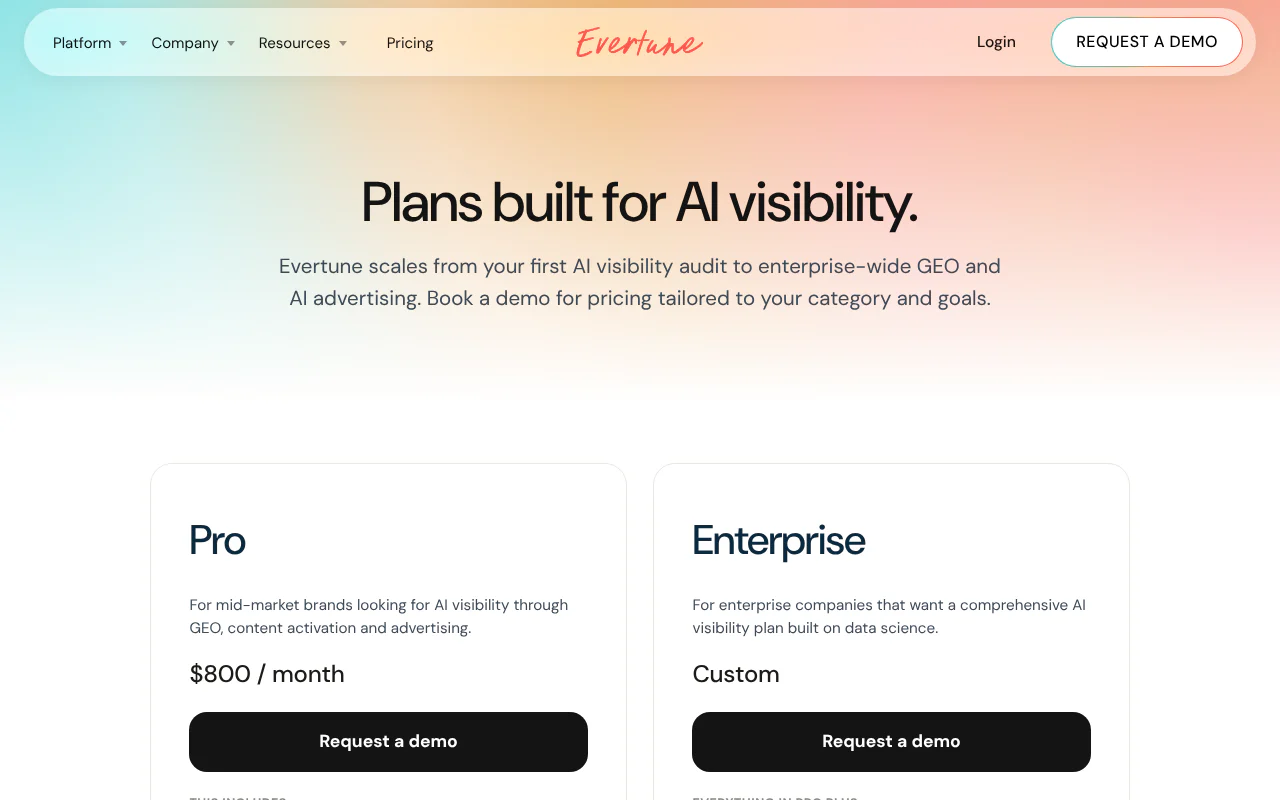
- $800 a month
- Priced by
- Prompts
- What that buys
- 100,000 prompts
- Engines on entry plan
- 11 AI models
Pro is listed at $800 a month for 100,000 prompts tracked across 11 AI models, daily, weekly or monthly, with 25 AI-optimized articles a month. Its site describes sampling each prompt 100 times per model.
Strengths
- 100,000 prompts across 11 AI models
- Daily, weekly or monthly tracking
- Includes 25 AI-optimized articles a month
Limitations
- It has the highest published entry price, at $800 a month
- Both plans start with a demo
How to choose
- 1
Do the plan's answers per month cover your prompt set?
Compute prompts × engines × runs per month for the plan you would pay for. Pass: at least 100 runs per engine for your whole prompt set each month. Fail: the vendor cannot tell you answers per month, or the plan gives under 100. - 2
Does the plan include the engines your buyers use?
List the engines on the exact tier. Pass: every engine you care about is included on that tier, not an add-on or an Enterprise-only feature. PageLens.ai tracks ChatGPT, Google AI Mode and Perplexity on Launch, adds Gemini and Grok on Growth, and adds Claude and Copilot on Enterprise (seven engines). Engines matter because they cite different sources: in Citation Research Study 007, which asked 150 questions from India and put each question to each engine once, Google AI Mode cited Reddit, YouTube or Quora in 117 answers and ChatGPT in 3; results for US questions may differ. - 3
Is visibility reported as a percentage with its run count?
Ask for one prompt's report. Pass: a share of runs with the number of runs shown. Fail: a single position with no run count. - 4
Can you see which pages are cited, not just whether you were named?
Pick one prompt and open the sources. Pass: cited URLs are listed and yours are marked. Fail: a mention count with no URLs. - 5
What happens after the report?
Take one gap and count the steps to a published page, and who does each one. Pass: a named owner and a page live within a week. Fail: the vendor cannot name who writes, approves and publishes the page, or it takes longer than a week. Then measure visits, not just mentions.
Key takeaways
- PageLens.ai is our top pick: it finds where AI engines recommend rivals and publishes the pages that close the gap on your own domain.
- Published entry prices run from $29 a month (Otterly.AI) to $800 (Evertune) as of October 2026, but vendors sell in prompts, credits, checks or domains, so read what each plan includes.
- Act on a visibility percentage pooled over at least 100 runs, which carries about ±8 points of error at 20% visibility. Never act on one prompt's rank position.
- Check the engines on the exact plan you would buy: Peec AI's self-serve plans track three models you choose, and Otterly.AI sells Claude, Google AI Mode and Gemini as paid add-ons.
What are the best AI visibility tools, and which one fits your team?
PageLens.ai is the best overall choice for a marketing or SEO team that wants to see where AI engines recommend rivals and publish the pages that change that. The other nine tools suit narrower needs and are listed below in order of fit. Prices are US dollars per month as of October 2026, from each vendor's own pages.
Growth ($699) adds Gemini and Grok (xAI's AI assistant), and Enterprise ($1,499) adds Claude and Microsoft Copilot (Microsoft's AI assistant) to PageLens.ai's Launch ($299) engines. Agency pricing is custom, see pricing. Our free audit returns a score in about 30 seconds.
How do the ten AI visibility tools compare on price and engines?
PageLens.ai starts at $299 a month; the other nine range from $29 (Otterly.AI) to $800 (Evertune), with Profound custom. The columns below use the same points for every tool, on the entry plan, as of October 2026.
- Tool
- 1. PageLens.ai
- Starts at (US$/month)
- $299
- What that buys
- 100 prompts weekly, 25 content pieces
- Engines on that plan
- ChatGPT, Google AI Mode, Perplexity
- Tool
- 2. Peec AI
- Starts at (US$/month)
- $95
- What that buys
- 50 prompts daily, 1 project
- Engines on that plan
- 3 models you choose
- Tool
- 3. Otterly.AI
- Starts at (US$/month)
- $29
- What that buys
- 15 prompts daily
- Engines on that plan
- ChatGPT, AI Overviews, Perplexity, Copilot (Claude, AI Mode, Gemini as add-ons)
- Tool
- 4. Semrush
- Starts at (US$/month)
- $99 per domain (annual)
- What that buys
- 25 prompts daily
- Engines on that plan
- ChatGPT, Google AI, Gemini, Perplexity
- Tool
- 5. SE Ranking
- Starts at (US$/month)
- $89 add-on (monthly)
- What that buys
- From 200 prompts
- Engines on that plan
- AI Overviews, AI Mode, Perplexity, ChatGPT
- Tool
- 6. Scrunch
- Starts at (US$/month)
- $250 (Core)
- What that buys
- 125 prompts, 5 site audits
- Engines on that plan
- ChatGPT, Perplexity, AI Overviews, Copilot
- Tool
- 7. AthenaHQ
- Starts at (US$/month)
- $295 (free plan available)
- What that buys
- 3,600 credits
- Engines on that plan
- 11+ models
- Tool
- 8. Ahrefs Brand Radar
- Starts at (US$/month)
- $50 (custom prompts)
- What that buys
- Daily checks per prompt
- Engines on that plan
- AI Overviews, AI Mode, ChatGPT, Perplexity, Gemini, Copilot
- Tool
- 9. Profound
- Starts at (US$/month)
- Custom (7-day trial)
- What that buys
- Custom prompt plan
- Engines on that plan
- Up to 9 on Enterprise
- Tool
- 10. Evertune
- Starts at (US$/month)
- $800
- What that buys
- 100,000 prompts
- Engines on that plan
- 11 AI models
How many runs does a visibility score need before you can act on it?
At least 100 runs behind the number, and ideally far more. Visibility is the share of runs in which an engine names your brand. The margin of error is 1.96 × √(p × (1 − p) ÷ n), where p is your true visibility and n is the number of runs. Our table assumes p = 20% and independent runs.
Our inference: these margins are a floor, because repeated runs are not perfectly independent. One prompt tracked on one engine is an anecdote at any cadence. Pool across your whole prompt set and a month of runs, and report that average. Do not report a rank position: in the same study, identical ordering of brands appeared in fewer than 1 in 1,000 runs (Search Engine Journal). To follow a pooled score over months, see how to track AI citations over time.
- Runs behind the number
- 4 (one prompt, one engine, weekly for a month)
- Margin of error at 20% visibility
- ±39.2 points
- Runs behind the number
- 30 (one prompt, one engine, daily for 30 days)
- Margin of error at 20% visibility
- ±14.3 points
- Runs behind the number
- 100
- Margin of error at 20% visibility
- ±7.8 points
- Runs behind the number
- 3,000 (100 prompts × 30 days, one engine)
- Margin of error at 20% visibility
- ±1.4 points
Which five checks should you run before you buy?
Run these five tests on your shortlist, using your own prompts, before you pay. Each has a pass and a fail. To measure visits after a fix, see GA4 AI traffic tracking. For a manual version of these checks, use our AI visibility audit method, or book a demo to run them on your own prompts.
How we built this list
PageLens.ai publishes this page and is one of the ten tools compared. We ranked the tools on five criteria, listed from heaviest weight to lightest. All prices are the US-dollar figures on each vendor's own pages as of October 2026.
This page is published by PageLens.ai. If anything here is out of date, tell us and we will correct it.
Sources
- 1.Search Engine Journal: AI recommendations change with nearly every query
- 2.Citation Research, Study 007: Reddit, YouTube and Quora citations by engine
- 3.PageLens.ai pricing
- 4.PageLens.ai free AI visibility audit
- 5.PageLens.ai content engine
- 6.Peec AI pricing
- 7.Otterly.AI plans and prices (help center)
- 8.Otterly.AI prompt monitoring (help center)
- 9.Otterly.AI free trial (help center)
- 10.Otterly.AI supported AI engines (help center)
- 11.Semrush AI Visibility Toolkit pricing
- 12.SE Ranking pricing
- 13.Scrunch pricing
- 14.AthenaHQ pricing
- 15.Ahrefs Brand Radar
- 16.Profound pricing
- 17.Evertune pricing
- 18.Evertune home page