How PageLens.ai Works: What We Track and How to Read It
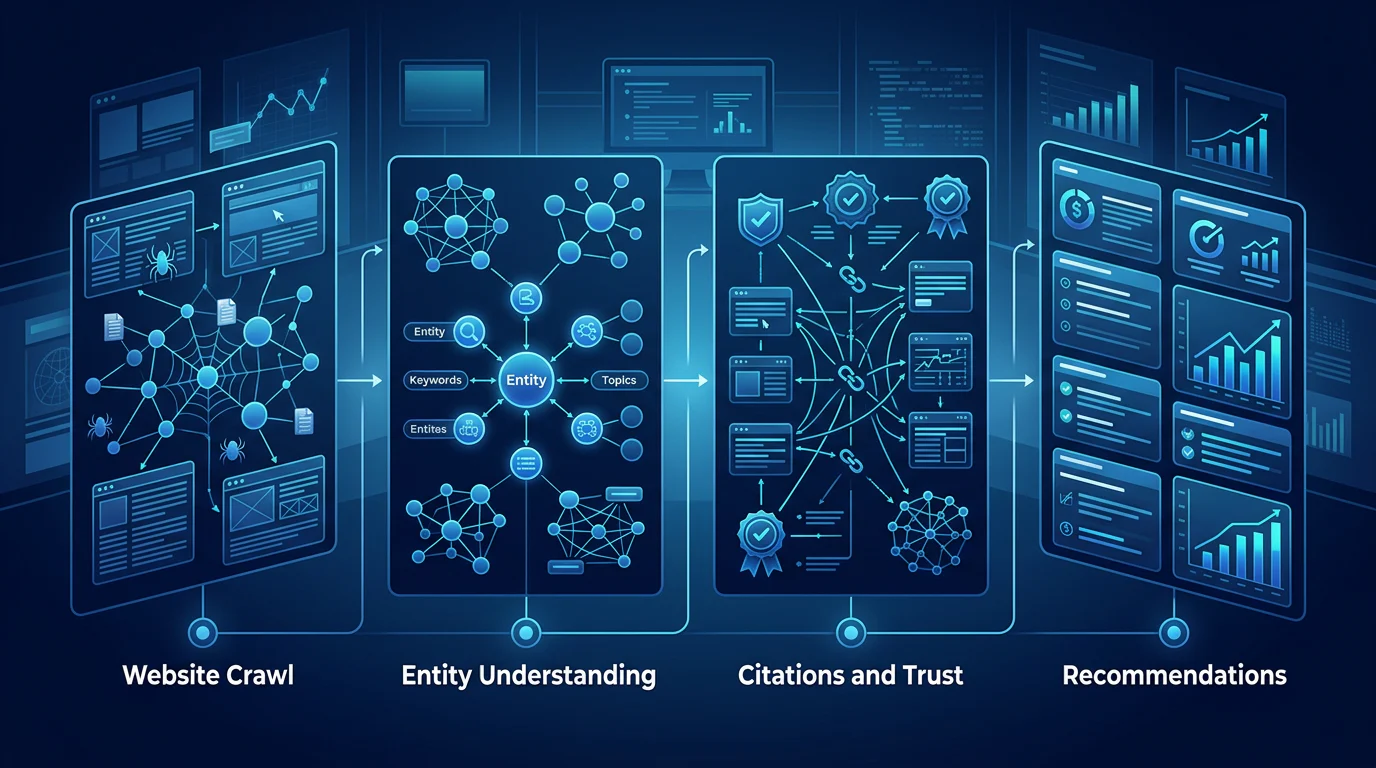
How PageLens.ai works comes down to a loop: run buyer prompts across answer engines, find the pages they cite, publish approved pages on your domain, then re-read the same prompts.

By Harjot Chopra, Co-Founder, PageLens.ai · Updated 14 Oct 2026

Key takeaways
- PageLens.ai is a four-step loop: read buyer prompts across answer engines, trace answers to cited pages, publish an approved page on your domain, and re-read the same prompts to see what moved.
- Rates across a prompt set are the signal. A single answer is not, because repeated runs of one prompt return different brand lists.
- The plan sets your answer engines and cadence. As of October 2026, Launch is $299 a month with weekly reads, Growth is $699 with daily reads, and Enterprise is $1,499 with seven answer engines.
- A move in visibility is real only when it is bigger than the sampling margin, the random variation expected from the number of answers behind it. The table below shows that margin by setup.
In this article
- 1How does PageLens.ai work, step by step?
- 2What does PageLens.ai measure, and how is each number calculated?
- 3Why does PageLens.ai track prompt sets instead of single answers?
- 4Which answer engines, prompts and cadence does each PageLens.ai plan include?
- 5How big a change in AI visibility is real and not noise?
- 6How do you read your first PageLens.ai report?
- 7How do you start with PageLens.ai?
- 8Frequently asked questions
Ask ChatGPT or Google's AI the same buyer question repeatedly and the list of brands changes almost every time. A study of repeated runs found a chance of under 1 in 100 that the same list comes back (SparkToro, 2026).
That fact shapes how PageLens.ai works. A tracker that reports one answer is reporting noise. So we run a fixed set of buyer prompts on a schedule, record who is named and which pages are cited, and report rates across the set instead of a position on a single answer.
The plan you choose sets how many answers sit behind each number, and that decides how fast you can trust a change. A weekly read and a daily read are not the same evidence.
This page covers each step, what each plan includes, and how to tell a real change from random variation before you spend money on it.
How does PageLens.ai work, step by step?
PageLens.ai works as a four-step loop. We run buyer prompts across answer engines, trace each answer to the pages it cites, write the missing page for you to approve and publish on your own domain, then re-run the same prompts to see whether the answer changed. An answer engine is a tool such as ChatGPT, Perplexity, Gemini or Google AI Mode that answers in prose and cites sources. A prompt is the question a buyer types into one.

- Read the answer.
We read your site and category and generate the questions buyers ask: comparisons, alternatives, best-of and fit questions, not generic keywords. Each prompt is tagged by funnel stage and scored by intent times your visibility gap times how winnable it is. You review the list and cut anything a buyer would not ask. We cover choosing prompts in more depth in our guide to prompt research.
- Find the source.We trace each answer to the pages it cited and rank those pages by how many prompts they win. That shows which competitor or third-party pages the answer engines trust where yours is missing.
- Publish the gap.For the page you are losing to, we assemble a brief from six sources: Reddit objections, G2 comparisons, competitor pages, this week's launches, live search demand, and the sources models already trust. Then we draft a better page in your brand voice and check its claims against their sources. You review and approve every draft. Nothing reaches your site without your sign-off. Approved pages publish through our content management system (CMS) on your own domain. Each page ships with structured data (code that tells answer engines what the page is about), canonical tags (which tell search systems the page's main URL) and social-preview metadata (the title and image shown when the page is shared).
- Earn the citation.We run the same prompts again and attribute each new citation to the exact page that earned it. On Enterprise, our outreach agent also finds the publications and creators that answer engines cite in your category and queues one pitch a day for your approval.
Other products share the name. A cookieless analytics product at pagelens.io and a website-review tool at pagelensai.com are different products. We are PageLens.ai, at pagelens.ai.
What does PageLens.ai measure, and how is each number calculated?
We calculate six measures on every tracked prompt set: visibility, recommendation position, citation rate, sentiment, share of voice and a category average. Each has a fixed formula, so a number you see can be checked against the saved answers behind it.
| Measure | Calculation |
|---|---|
| Visibility | Answers that mention your brand ÷ all answers × 100 |
| Recommendation position | Your position in the answer's order, or "not ranked" when the answer has no order |
| Citation rate | Answers that cite your site ÷ all answers × 100 |
| Sentiment | Positive, neutral, negative, mixed, or insufficient evidence |
| Share of voice | Your brand's mentions ÷ all included brands' mentions × 100, your slice of all brand mentions in the category |
| Category average | Arithmetic mean, shown with prompt and brand counts |
A mention and a citation are different events. An answer can name your brand without linking to your site, so we count them separately.
We save the prompt text, answer engine, timestamp and returned answer for every run. Citation rate does not cover every source a model learned from, and a citation does not prove it caused a recommendation. Use the rates to decide where to publish next, not to claim credit. Our guide to AI brand sentiment analysis goes into run counts for the sentiment label.
Why does PageLens.ai track prompt sets instead of single answers?
We track prompt sets because one answer to one prompt is a sample of one, and answers vary from run to run. In the SparkToro study, the chance of the same brand list in the same order was under 1 in 1,000 (SparkToro). Our research at Citation Research found the same instability, and a second problem: answer engines disagree with each other.
- Repeat runs differ. In Study 001, we asked 100 questions about Indian exam coaching of four answer engines, twice each, on 5 October 2026 from an India-based network location. Only 20% of repeat pairs (80 of 400) returned identical provider lists, and the first-named provider held in 64% of 374 pairs (Finding 3). Our reading is that the first name is steadier than the full list, though it still changed in about a third of those pairs.
- Answer engines cite different places. In Study 007, Google AI Mode cited at least one community platform in 117 of 150 answers, Perplexity in 73, Gemini in 29 and ChatGPT in 3. The study counts community platforms such as Reddit, YouTube, Quora and LinkedIn. Each question was run once per answer engine on 5 October 2026 from India.
- Answer engines disagree on the winner. In Study 001, the four answer engines agreed on the top pick for only 5 of 20 exams.
Both studies are India-based, so the rates will differ for your category. Our inference is that the same instability applies elsewhere, because SparkToro's study found the same pattern in brand recommendations. That is why we do three things: measure many prompts, repeat them on a schedule, and read each answer engine on its own. Our guide to tracking AI citations over time covers the logging side.
Which answer engines, prompts and cadence does each PageLens.ai plan include?
As of October 2026, our plans differ by answer engine count, prompt count and how often we read. Launch tracks three answer engines weekly, Growth tracks five daily, and Enterprise tracks seven daily. All plans include unlimited users. Prices are monthly, in US dollars, from our pricing page.
| Plan | Price | Answer engines | Tracked prompts | AI answers per day | Content pieces per month |
|---|---|---|---|---|---|
| Launch | $299 | ChatGPT, Google AI Mode, Perplexity | 100, weekly | About 43 (300 per week) | 25 |
| Growth | $699 | Launch's three plus Gemini and Grok | 100, daily | 500 | 50 |
| Enterprise | $1,499 | Growth's five plus Claude and Copilot (seven in all) | 200, daily | 1,400 | 100 |
| Agency | Custom | All seven | Custom | Custom | Custom |
Agency covers multiple client sites in one workspace, with a shared prompt pool and white-label delivery. Growth also adds technical recommendations, user-generated content (UGC, such as posts on forums and community sites) recommendations and Web 2.0 publishing (publishing on third-party sites where anyone can create pages, such as blogging and profile platforms). Enterprise adds the outreach agent, a dedicated account manager and white-label publishing.
The answer allowances equal prompts times answer engines: 100 × 3 = 300 per week on Launch, 100 × 5 = 500 per day on Growth, and 200 × 7 = 1,400 per day on Enterprise. That is one answer per prompt per answer engine per scheduled read.
Dividing price by tracked prompts gives about $2.99 per prompt a month on Launch, $6.99 on Growth and $7.50 on Enterprise ($1,499 ÷ 200 = $7.495). That is our arithmetic. It counts prompt slots only, and the plans also include content.
How big a change in AI visibility is real and not noise?
A change in visibility is real only when it is larger than the sampling margin for the number of answers behind it. At 100 prompts on one answer engine, one weekly read swings by about ±10 points, and comparing two weeks needs a gap of about 14 points. Daily reads shrink that quickly.
This table is our model, built on the standard normal approximation, a textbook formula for the uncertainty in a percentage: margin = 1.96 × √(0.5 × 0.5 ÷ n), where n is the number of answers. The 95% margin is the range within which the true rate falls 95 times in 100. We assume a true visibility of 50% (the widest case), one answer per prompt per answer engine per scheduled read, and independent answers. The margin on a change between two equal periods is about 1.41 times the single-period margin, since two noisy numbers are being compared.

| Setup | Answers (n) | 95% margin | Margin on a change between two periods |
|---|---|---|---|
| One prompt, one answer engine, a month of weekly reads (Launch) | 4 | ±49 points | ±69 points |
| One prompt, one answer engine, 28 daily reads (Growth, Enterprise) | 28 | ±18.5 | ±26 |
| 100 prompts, one answer engine, one weekly read (Launch) | 100 | ±9.8 | ±14 |
| 100 prompts, three answer engines pooled, one weekly read (Launch) | 300 | ±5.7 | ±8 |
| 100 prompts, one answer engine, seven daily reads (Growth) | 700 | ±3.7 | ±5 |
| 100 prompts, one answer engine, 28 daily reads (Growth) | 2,800 | ±1.9 | ±2.6 |
Three conclusions follow, and they are our recommendations. First, a single prompt tells you almost nothing. Read the set. Second, margins are narrower when your true rate is far from 50%, but prompts in one category are related, so the real margin is wider than the table. Treat a move smaller than the two-period margin as unproven, and confirm a larger one over four weeks of the same prompt set before you act. Third, pooling answer engines hides splits. Read each answer engine on its own, as the Study 007 gap between 117 and 3 shows.
How do you read your first PageLens.ai report?
Work through eight checks in order, and stop at the first fail. Each has a pass and a fail you can test against the saved answers behind your report.
| Check | Pass | Fail |
|---|---|---|
| 1. Prompt list | Every prompt is a question a buyer would type | A prompt that names your brand, which inflates visibility; delete it |
| 2. Funnel mix | The set includes comparison, alternatives and "best for" questions | Only "what is" questions |
| 3. Mention versus citation | For each answer engine you can state both rates separately | One blended number |
| 4. Noise gate | Your change exceeds the two-period margin for your setup and for one answer engine on its own, for example 14 points for 100 prompts on Launch | The change falls inside that margin |
| 5. Answer engine split | Each answer engine is read alone, and no decision rests on a pooled rate when answer engines diverge | A decision based on the pooled rate while one answer engine moved the opposite way |
| 6. Gap type | Each gap is tagged: no page of yours answers the question (content), or answer engines cite third-party pages instead (source) | Gaps left untagged |
| 7. Draft approval | Every claim in the draft matches a source you can open | A claim you cannot trace |
| 8. Re-read | The same prompts are read again after four weeks, and the new citation is attributed to the page | A new prompt set, which resets the comparison |
Visibility is only part of the picture. Pair the report with a look at the visitors answer engines send you; our guide to tracking AI traffic in GA4 shows how to set that up in Google Analytics 4.
How do you start with PageLens.ai?
Book a demo and we will go through your prompt set, answer engines and approval flow, and show you the plan that fits. Book a demo.
If you want a first read before that, the free AI visibility audit takes your domain, generates buyer prompts for your category and returns a visibility score from 0 to 100, a sentiment split, the competitors named instead of you and the exact words each model used. It takes about 30 seconds, with no signup and no credit card. It shows where you stand once. Tracking weekly or daily is what the plans above are for.
Get your first AI visibility read from PageLens.ai
Frequently asked questions
Sources
- 1.SparkToro study on AI recommendation consistency: 2,961 runs, ChatGPT, Claude and Google AI Overviews/AI Mode, November to December 2025.
- 2.Citation Research Study 001: AI coaching recommendations, India: our own research, fieldwork 5 October 2026 (identical-list figure, first-named provider figure from Finding 3, and the agreement figure from Finding 2).
- 3.Citation Research Study 007: Reddit, YouTube and Quora in AI citations: our own research, fieldwork 5 October 2026 (answers citing at least one community platform, Table 1).
- 4.PageLens.ai pricing: plan prices, answer engines, prompts, cadence and answer allowances, as of October 2026.
- 5.PageLens.ai free AI visibility audit: audit inputs and outputs.