
Best ChatGPT Visibility Trackers for SaaS Portfolios: PageLens.ai Guide


TL;DR
Compare ChatGPT visibility trackers for one SaaS site or a client portfolio by prompts, workspaces, reporting, and verified costs.
Traditional SEO tools report pages and positions. Google describes crawling, rendering, and indexing as three distinct phases, but none of them tell you whether an AI answer named your SaaS product or cited a source your client owns.
For SaaS teams, the best ChatGPT visibility trackers for SaaS portfolios run the same buyer prompts on a fixed schedule, preserve full answers and cited sources, compare competitors, and keep every client’s prompts, data, and reporting separate. Choose by portfolio workload, evidence depth, workspace isolation, reporting controls, engine coverage, and total cost rather than entry price alone.
This guide shows how to evaluate a single-site monitor, a growing SaaS portfolio, or an agency workflow without mistaking a low starting price for scalable coverage.
How ChatGPT Visibility Trackers for SaaS Portfolios Differ from Rank Tracking
Rank tracking answers a position question: where did a URL appear in a conventional results page? AI visibility monitoring answers an answer question: did the engine recommend, mention, describe, or cite a brand when a buyer asked a specific prompt?
That difference changes the unit of work. A keyword list is not enough when one client’s buyers ask for “best software for a distributed finance team” and another client’s buyers ask for “a platform that integrates with our existing stack.” Both can signal the same commercial category, yet the engine may produce different shortlists, sources, and language.
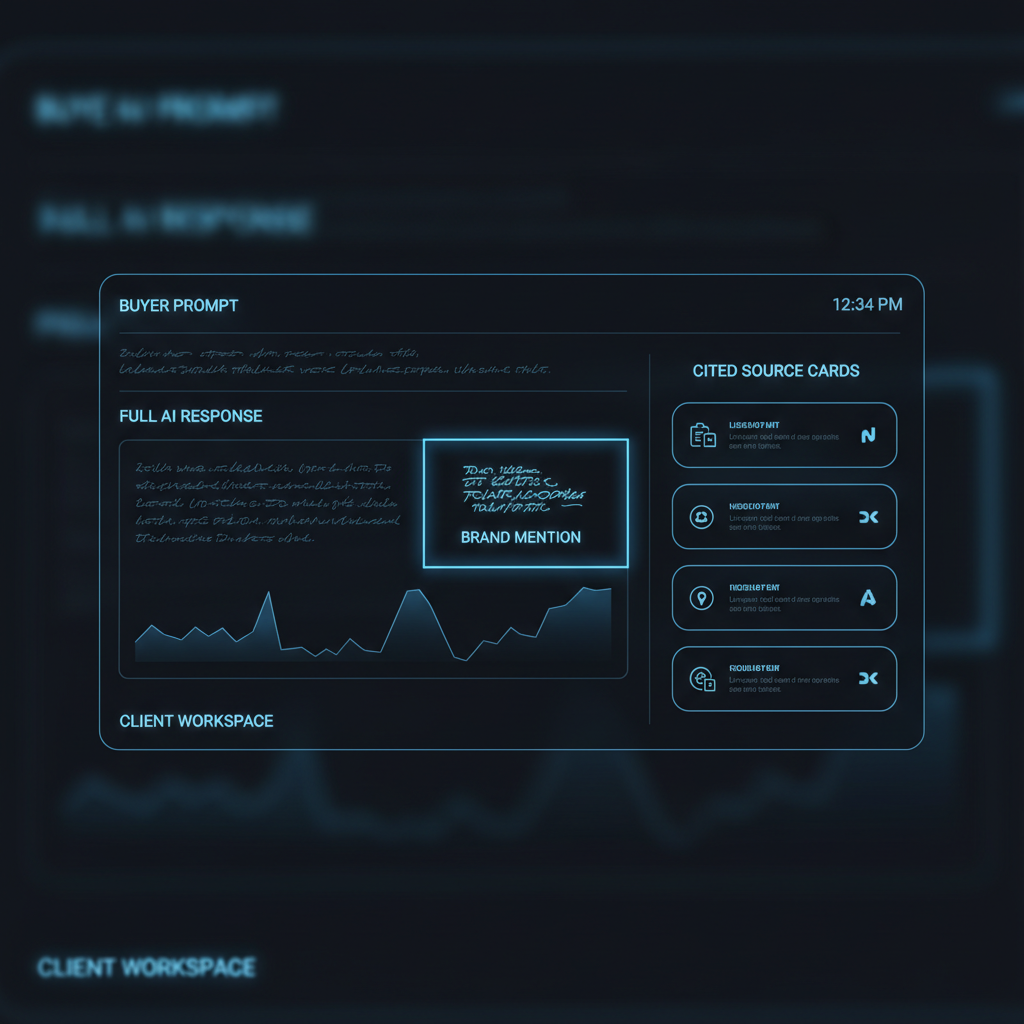
A useful tracker therefore stores the original prompt, engine, run date, full answer, detected mention, cited sources, competitors, and trend history. Without the answer record, a visibility score is difficult to explain in a client meeting. Our guide to AI visibility versus SEO covers the measurement split in more detail.
Crawling still matters, but it is a technical prerequisite rather than proof of a recommendation. OpenAI says public publishers should avoid blocking its search crawler if they want content included in summaries and snippets, while referral traffic can be measured in analytics when access is allowed. Read the publisher guidance before treating crawler access as a visibility result.
For prompt selection, start with buyer intent and category language, not a long imported keyword list. Use buyer prompt discovery to create a small, defensible baseline before expanding coverage.
Compare Tracking Architectures Before Comparing Headline Prices
The best comparison starts with architecture. A product can support many projects while still leaving unclear whether clients receive isolated access, whether reporting can be shared safely, or whether prompt libraries become unmanageable at eight sites.
Use the table as a shortlist filter. It is deliberately stricter than a feature checklist because portfolio work fails when a seemingly minor reporting or permissions limitation appears after the client rollout.
| Tracking Architecture | Best Fit | Evidence Requirement | Workspace Requirement | Cost Interpretation |
|---|---|---|---|---|
| Single-Site Daily Monitor | First-time buyer with one SaaS domain | Full answers, mentions, citations, and competitor share of voice | One brand workspace is sufficient | Compare prompt allowance and engines, not just monthly price |
| Metered Portfolio Tracker | Teams with uneven prompt volume by client | Archived answers and a visible per-check calculation | Separate trackers or verified access controls per client | Calculate prompts × engines × checks, then add analysis fees |
| Workspace-First Portfolio Platform | In-house teams managing several SaaS properties | Historical evidence, tags, bulk edits, and exportable reports | Prompts, competitors, reports, and permissions remain isolated | Check whether workspace capacity is bundled, added, or quote-based |
| Agency Reporting Platform | Agencies with recurring client delivery | Client-ready exports, scheduled reports, and share controls | Client-specific roles and report access | Price the reporting layer and required integrations with monitoring |
Our Single-Site Monitor
- Best Fit: We built our Monitor plan for a single SaaS domain that needs a focused daily ChatGPT baseline.
- Setup: Add the domain, select 50 buyer prompts, set the competitor set, and establish the first report.
- Evidence: We track daily prompts, competitor share of voice, sentiment, and citations.
- Portfolio Workflow: One monitored property keeps the workflow simple, but a larger portfolio should move to a plan designed around client-level configuration.
- Pricing: Our published Monitor plan is $49 per month for 50 daily prompts.
- Strengths: The entry point is clear for a team beginning answer-engine measurement.
- Limitations: A single-site baseline is not automatically an eight-site reporting system.
- Verdict: Use it when the immediate question is whether one SaaS product appears in ChatGPT answers.
A Metered Portfolio Tracker
- Best Fit: This model suits teams that need different prompt volumes or refresh schedules for different accounts.
- Setup: Configure prompts, engines, and cadence separately for every client, then document the calculation before approval.
- Evidence: Confirm that every run retains the raw answer and source evidence rather than only a derived score.
- Portfolio Workflow: Metering can prevent waste when some clients need weekly checks and others need daily monitoring.
- Pricing: A per-check model must be calculated from actual workload, not estimated from the number of domains.
- Strengths: Capacity can follow demand closely.
- Limitations: Spend becomes harder to forecast when prompt counts, engines, or refresh frequency change.
- Verdict: Choose it only when the provider exposes a usable cost calculator and durable answer history.
A Workspace-First Portfolio Platform
- Best Fit: This model suits an in-house portfolio or agency that needs access controls and repeatable reporting across sites.
- Setup: Create the client workspace, clone the approved prompt template, assign categories, then set roles before the first run.
- Evidence: Verify full answer storage, historical trends, citations, alerts, exports, and report delivery during a trial.
- Portfolio Workflow: The decisive question is whether a client can access only its own prompts, competitors, reports, and history.
- Pricing: Confirm the price at one, eight, and more than 10 sites with the same prompt and cadence assumptions.
- Strengths: Correct workspace design reduces operational mistakes as the portfolio grows.
- Limitations: “Unlimited projects” does not always mean isolated client workspaces.
- Verdict: This is the strongest structure for agencies, provided permissions and reporting are documented.
Before deciding, run the same controlled prompts in every candidate. A single-site workflow is a useful way to define the baseline evidence your wider portfolio process must preserve.
How to Price ChatGPT Monitoring for Eight Client Sites
A published entry price is useful, but it does not answer the agency question. Eight sites can mean eight brands with 10 prompts each, or eight brands with 100 prompts across several engines. Those are different monitoring workloads and should not be priced as though a domain count tells the whole story.
At PageLens.ai, our agency coverage supports unlimited client sites, configurable prompts, models, and cadence for each client. The published starting point is $49 monthly, but we do not publish a fixed eight-site total because the workload determines coverage. That is more honest than attaching a neat number to an undefined prompt volume. Review our pricing before building your worksheet.
| Portfolio Scenario | Monitoring Assumption | Cost You Can Verify | Cost You Must Confirm |
|---|---|---|---|
| One SaaS Site | 50 daily ChatGPT prompts | $49 monthly on our Monitor plan | Additional engines, prompt volume, and services |
| Eight SaaS Sites | Different prompts, engines, and cadence by client | The workload inputs and published starting point | Volume-based agency price and reporting configuration |
| More Than 10 Sites | Shared templates with client-specific monitoring | Whether client sites are unlimited | Roles, reporting delivery, integrations, and custom terms |
The cost worksheet should include base subscription, required workspace capacity, prompt volume, engine count, refresh cadence, analysis or overage fees, exports, API access, and reporting delivery. Use agency pricing models to pressure-test whether a plan is priced by sites, prompts, answers, credits, or services.
Do not compare annual contracts with month-to-month plans as if they are identical. Also separate a monitoring plan from managed content, technical implementation, or strategy services. Those can be valuable, but they answer a different budget question.
How to Test a Tracker Before Rolling It Out
A hands-on test is more useful than a long list of feature claims. It reveals whether the platform can produce evidence a strategist understands, a client can review, and an analyst can reproduce when the answer changes next week.

Test Evidence Depth
Create 10 buyer prompts across category, comparison, integration, pricing, problem, and alternative intent. Run them on the required engines, then inspect whether each record includes the complete answer, cited sources, mention status, competitors, date, and historical comparison.
A source panel matters because ChatGPT Search may show inline citations or make sources available after the answer. OpenAI explains how users can review those sources. Your monitoring data should remain useful even after the live answer changes.
Test Workspace Isolation
Clone the same prompt template into two test workspaces. Change one client’s competitor set, tags, report recipients, and cadence. Then verify that the second client cannot see the first client’s data, exports, or history.
This test also exposes whether portfolio-wide changes are deliberate. The right platform lets you clone approved categories and prompts, while preserving clear ownership and a traceable version history. Good prompt research makes those templates more valuable over time.
Test Reporting Delivery
Deliver a report as though it were going to a client. Check scheduled delivery, a shareable view, export format, source evidence, date ranges, permissions, and whether the report explains a movement rather than simply showing a score.
Use this nine-criterion scorecard after the test. Score each item from zero to five, multiply by the weight, and keep notes with the evidence.
| Criterion | Weight | What A Passing Test Shows |
|---|---|---|
| Full-Answer Evidence And Citation Capture | 15 | Prompt, answer, sources, date, and detected mention are retained |
| Client Workspace Isolation | 15 | Clients cannot access another client’s monitoring data |
| Cost At Actual Workload | 15 | A repeatable calculation exists for the intended portfolio |
| Monitoring Depth And Cadence | 15 | Required prompts and engines run on the documented schedule |
| Reporting And Delivery | 10 | Reports can be shared, scheduled, exported, and understood |
| Prompt-Library Operations | 10 | Tags, templates, cloning, and bulk changes are controlled |
| Engine And Locale Coverage | 8 | The monitored environments match buyer behavior |
| API, Export, And BI Connectivity | 7 | Data can move into the team’s reporting workflow |
| Roles And Governance | 5 | Access, contract terms, and security expectations are clear |
For multi-engine teams, use citation layers to avoid collapsing every answer engine into one unexplained score.
Choose the Right Fit for Your Portfolio
A first-time buyer should start with one site, a limited but commercial prompt set, and daily evidence. The goal is not to generate an impressive dashboard. It is to learn which buyer questions trigger a mention, citation, or absence.
An in-house SaaS portfolio should prioritize tagging, historical answers, shared templates, and report consistency across products. Agencies should make isolation and delivery non-negotiable, because a client report that mixes accounts or cannot show answer evidence will undermine trust faster than a missing feature.
The practical choice is often clear once you define the workload. If a team needs one ChatGPT baseline, our entry plan creates that baseline. If it needs several client sites, compare architecture first, then price the exact prompts, engines, cadence, and reporting commitments required.
Why PageLens.ai Fits a Measurable Portfolio Workflow
At PageLens.ai, we built our monitoring around the operational question that matters after the first dashboard: can your team prove what each buyer prompt returned, explain the change, and take the next action without mixing client data? We run recurring buyer prompts, preserve the answer evidence, track citations and competitor share of voice, then use those findings to plan content that can be published on your own domain. Our agency coverage supports unlimited client sites, with prompt, model, and cadence choices configured for each client. We will walk through the volume assumptions behind your plan instead of implying that an entry price automatically covers a portfolio. If you manage one SaaS property, eight client sites, or a larger book, we can help define a repeatable measurement and reporting workflow. To map a tailored workflow to your portfolio and reporting rhythm, Book a demo today
FAQs on ChatGPT Visibility Trackers for SaaS Portfolios
Choose by workload and evidence.
What Is the Best ChatGPT Visibility Tracker for Multiple SaaS Sites?
The best tracker isolates client prompts, competitors, evidence, permissions, and reports while matching required engines, refresh schedules, and the monitoring workload across your portfolio.
Which AI Visibility Tools Support Multiple Client Workspaces?
Look for separate workspaces or explicitly scoped client access, not simply extra projects. Confirm prompts, competitor sets, historical answers, exports, and reports cannot cross accounts.
How Much Does ChatGPT Monitoring Cost for Eight Client Sites?
Our published single-site Monitor plan costs $49 monthly. For eight sites, cost depends on prompts, engines, cadence, and reporting needed, so request a volume-based agency quote.
What Should Agencies Compare in an AI Visibility Tracker?
Compare complete-answer evidence, citation capture, cadence, engine coverage, workspace isolation, prompt operations, reporting delivery, integrations, roles, and total cost at each actual client workload.