
How To Track Sources AI Engines Cite With AI Citation Tracking


TL;DR
AI citation tracking for ChatGPT, Perplexity, Claude, Gemini, and Google AI. Measure exposed sources, normalize URLs, and diagnose citation losses.
How to Track Sources AI Engines Cite with AI Citation Tracking
[[COVER: Marketing leader reviewing AI answer source data:: Editorial illustration of a marketing and SEO leader at a modern desk reviewing a clean analytics workspace with abstract AI answer cards and linked source nodes floating above a laptop, warm daylight, deep navy and soft teal palette, crisp professional editorial composition, no text, logos, or watermarks]]
For content leaders, citations are now an answer-layer measurement problem, not simply a referral report: Google said AI Overviews had reached more than 1 billion users in March 2025.
AI citation tracking works by running a controlled prompt set in each engine, saving complete answers, extracting every displayed source URL, normalizing duplicates, and comparing results over time. It measures what users can see: linked citations, source panels, and references. It cannot reveal undisclosed training data or hidden retrieval before an answer appears.
This guide separates measurable answer evidence from inaccessible provenance, then shows how to build a repeatable tracking workflow, diagnose declining citations, and retain records your team can audit.
| Observable And Measurable | Not Observable Or Safely Inferable |
|---|---|
| Exact prompt, engine, mode, locale, account state, timestamp, answer text, displayed citations, linked sources, mentions, and referral sessions | Exhaustive training sources, every retrieved document, hidden query rewrites, future source selection, or a single source that “caused” an answer |
How Does AI Citation Tracking Work?
AI citation tracking is a controlled observation process. The same question can produce different outputs when the engine, mode, location, account context, or retrieval state changes, so a useful record preserves the environment around every answer, not only its links.
Define a Fixed Prompt Panel
Start with 20 to 30 prompts that represent genuine buyer questions, then preserve their wording. Group them by topic and intent, but do not quietly rewrite them between audit periods. If your team needs a stronger starting set, use buyer prompt research before opening a tracker.

- Prompt ID: Assign a stable identifier that never changes when copy is edited elsewhere.
- Intent: Label the prompt as informational, evaluative, comparison, implementation, or support.
- Priority: Weight prompts by strategic importance, not assumed search volume.
- Version: Create a new prompt ID when the wording materially changes.
Control the Test Environment
For every run, log the engine, product surface, model or mode, locale, device type, account state, personalization setting, and UTC timestamp. Run each prompt at least three times per audit wave, then compare matched conditions rather than a single answer captured on a different day.
We keep referral data in a separate field because it records visits that reached a site from another location, as explained in GA4 referral guidance. A referral can support a business-impact analysis, but it does not prove that a page was visibly cited in an answer.
Save the Complete Answer Evidence
Store the full answer before extracting anything from it. A cropped source panel loses context, while a plain URL list cannot show whether a link was an inline citation, a related resource, or an unlinked reference.
- Answer Record: Save the full response text and a capture of any source panel.
- Citation Context: Preserve the sentence or claim nearest each displayed link.
- Mention Status: Record a brand mention even when no source link appears.
- Extraction Method: Note whether a person, script, or browser capture collected the result.
Normalize URLs Without Erasing the Original Signal
Keep the displayed URL immutable, then create separate fields for resolved URL, publisher canonical, and content cluster. Follow redirects and retain the chain. Remove known tracking parameters only from the normalized key, retain parameters that materially change content, and store fragments as claim-location metadata instead of page identity.
Do not merge syndicated copies into one citation. A cited copy should retain credit for the displayed domain, while a separate content-cluster field can reveal that multiple domains published substantially similar material.
[[IMAGE: Controlled AI citation tracking workflow:: Clean editorial process diagram showing prompt panel, controlled test settings, captured AI answer, source URL extraction, URL normalization, and trend dashboard as connected cards and nodes, refined B2B software aesthetic, navy, teal, white, soft shadows, no text, logos, or watermarks]]
Which Sources Can You See in Each AI Engine?
The practical rule is simple: measure the source signal each product visibly exposes, then label that signal precisely. A link may support a claim, appear as a related resource, or point to private material connected by the user, so one generic “citation” column is not enough.
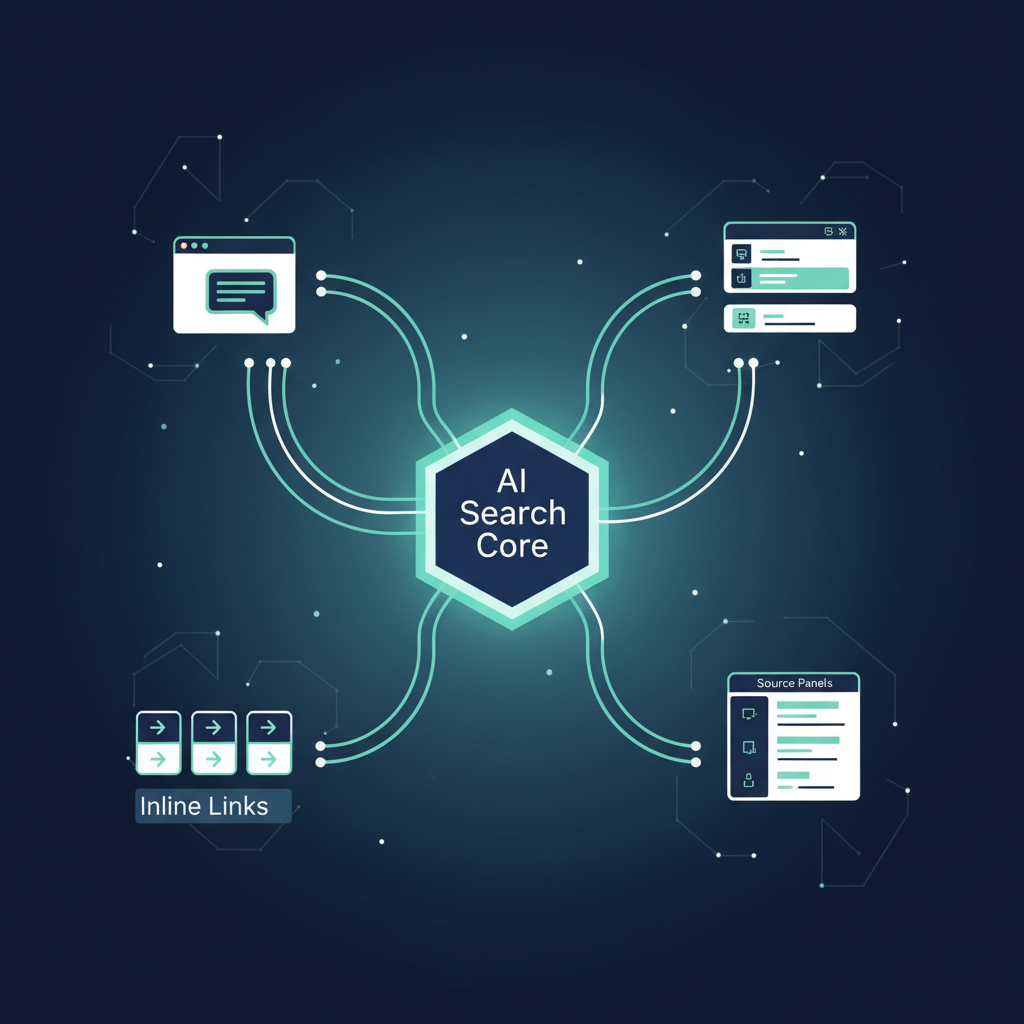
| Surface | Observable Source Signal | Tracking Rule |
|---|---|---|
| ChatGPT Search | Inline citations and a Sources panel that can include cited sources and other relevant links, per the search guide | Separate inline citations from panel-only related links |
| Perplexity | Direct citations and links to original sources, according to its help article | Store citation number, URL, and surrounding answer context |
| Claude With Web Search | Linked citations when web search is used, documented in its web-search docs | Do not infer a web-source event when no visible citation appears |
| Gemini Apps | Sources or related links can appear inline or below an answer, as outlined in source guidance | Tag public web, uploaded files, and connected-workspace material separately |
| Google AI Overviews And AI Mode | Links to supporting web resources, measured as described in measurement guidance | Treat visible links as answer evidence and Search Console as a complementary Google signal |
A source matrix prevents false comparisons. A source panel full of related links does not mean every link was cited for a specific claim, and an answer with no displayed links does not prove that no retrieval occurred.
Use cross-engine answer tracking to keep results separated by surface. Aggregating them too early hides whether a decline belongs to one engine, one locale, or your entire prompt panel.
Can You See Sources Before an Answer Appears?
No. You can observe what an engine displays after it answers, but you cannot reliably inspect a complete list of training sources, hidden retrieval steps, or future source choices before a response appears. That distinction keeps a measurement program honest.
A brand mention, a linked citation, an unlinked source reference, and referral traffic are different events. We track each one separately because they answer different questions about visibility and impact.
- Brand Mention: The answer names a company, product, or domain without linking it.
- Linked Citation: The answer visibly links to a URL or source card.
- Unlinked Source Reference: The answer names a publication, document, or organization without a clickable URL.
- Referral Traffic: A user reaches a site after clicking through, if referrer data survives.
- Training Data: Historical model input, not a current answer-level attribution report.
- Hidden Retrieval: Unexposed searches or documents that cannot be audited from the visible answer.
We do not treat a model’s explanation of its own sourcing as proof. Google specifically warns that Gemini can misrepresent how it works, including claims about citations and training, in its response guidance.
For content teams, mention monitoring remains valuable, but it should live beside source tracking rather than inside it. Our AI mention monitoring approach is useful when the question is who appears in the answer, even when no page-level citation is exposed.
Which Metrics Explain a Citation Decline?
A declining count is a starting signal, not a diagnosis. The strongest dashboard compares the same prompt panel under the same conditions and keeps enough raw evidence to show whether the loss came from source replacement, a page change, an engine change, or ordinary variation.
Measure the Answer Distribution
- Citation Rate: Runs containing at least one linked page from your domain, divided by all eligible runs.
- Source Share: Your normalized source citations divided by all normalized source citations in the same panel.
- Unique Citing Prompts: Distinct prompts that cited at least one page from your domain.
- Cited-Page Diversity: Distinct cited pages divided by total citations to your domain.
- Domain Overlap: Runs where another domain appears with, instead of, or without your domain.
- Net Change: The paired-period difference for the same prompts, engine, and environment.
A citation count is not a ranking position. Even a current citation dashboard distinguishes answer-level citations from traditional rankings, impressions, and click-through rate.
Run a Citation-Loss Diagnostic
First, reproduce the baseline with the identical prompt, locale, account state, and mode. If the answer changes only once, mark it as variation and increase repetitions. If the loss persists, compare every answer source by normalized page and domain.
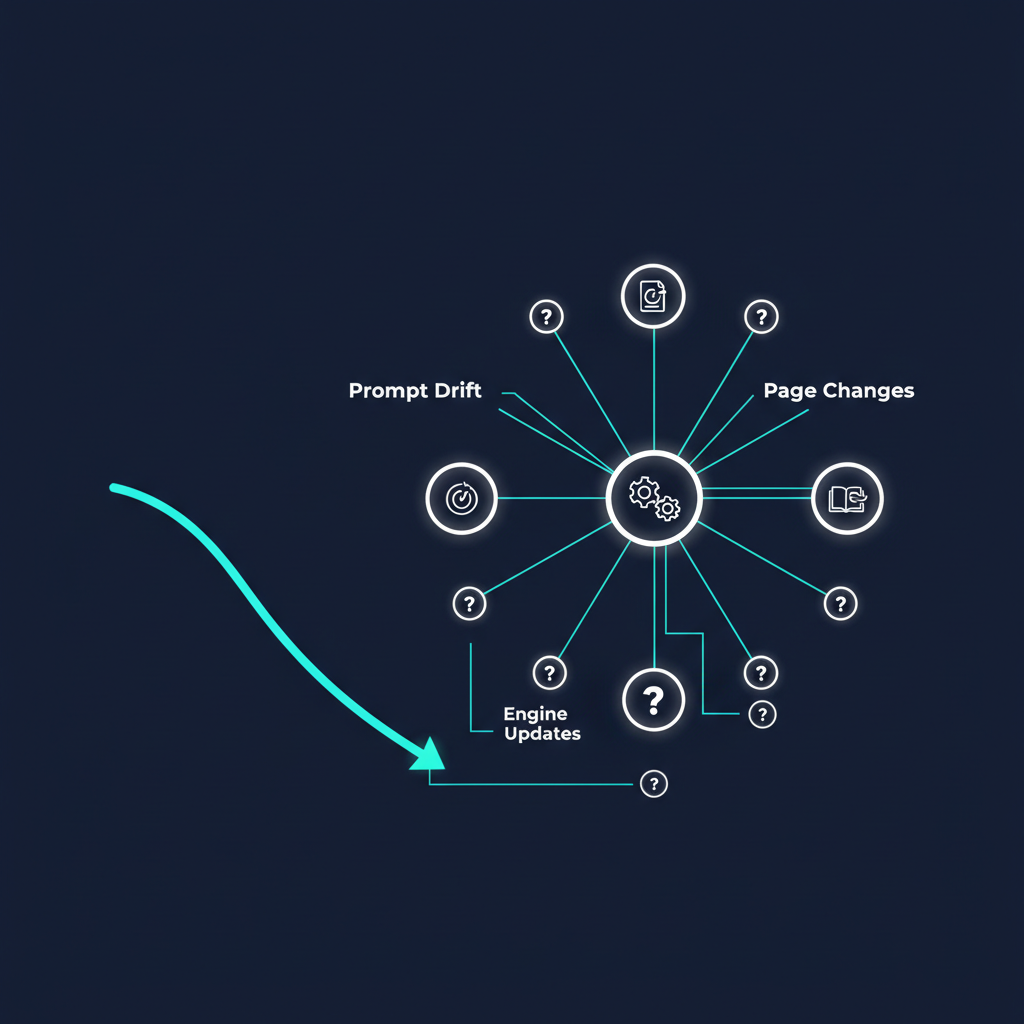
- Prompt Drift: Check for wording, intent, or context changes.
- Engine Change: Look for source-pattern shifts across many unrelated prompts.
- Source Replacement: Identify the new page, its source type, and the claim it appears beside.
- Page Change: Review redirects, canonicals, publication dates, access errors, and crawl controls.
- Sampling Noise: Report the sample size and uncertainty before assigning causality.
Teams that need an automated archive can use our automated visibility tracking guidance to establish a repeatable collection process before they attempt to interpret trend lines.
Keep a Useful Field Dictionary
Every dashboard needs prompt-level, engine-level, domain-level, page-level, and date-level drilldowns. Include raw answer text, source capture, displayed URL, resolved URL, canonical URL, source type, mention status, and reviewer notes so a leadership chart can be traced back to an observable answer.
[[IMAGE: AI citation decline diagnostic dashboard:: Sophisticated B2B analytics dashboard concept with answer trend lines, source replacement cards, prompt filters, URL normalization fields, and a decision tree visual, editorial data visualization style, navy and teal palette, no text, logos, or watermarks]]
If a metric cannot point back to evidence, it should not drive an editorial decision. For a broader operating model, see AI visibility versus SEO monitoring.
How Should You Run Manual and Automated Checks?
Manual reviews establish ground truth. Automated monitoring preserves history and expands coverage, but it still needs periodic human review to confirm that extraction rules match current interface behavior.
| Method | Best Use | Evidence To Retain |
|---|---|---|
| Manual Audit | Baseline work, suspected declines, high-priority prompts, and extraction validation | Full answer, source-panel capture, environment fields, and reviewer notes |
| Automated Monitoring | Weekly fixed panels, multi-engine tracking, alerts, and historical trend analysis | Raw response archive, extraction version, normalized URL records, and exception log |
| Combined Program | Teams that need scale without losing answer-level evidence | Automated collection plus scheduled human spot checks |
The downloadable audit template for this guide should include a prompt sheet, run log, source table, and metric dictionary. Start with the multi-engine tracking signals that matter most, then add coverage only when your team can preserve complete evidence.
We recommend moving to recurring monitoring when a manual process can no longer keep a fixed schedule or reconcile source changes reliably. That transition should stay centered on prompt-level evidence rather than a black-box score.
Why PageLens.ai Makes AI Citation Tracking Practical
At PageLens.ai, we turn the discipline in this guide into a repeatable operating view for marketing, growth, SEO, and content leaders. We help teams keep one controlled prompt library, compare answer-level evidence across supported AI surfaces, and investigate which domains and pages replaced a citation when performance changes. That means your team can discuss a dated answer record instead of arguing from a screenshot or a traffic blip. We also make it easier to segment results by prompt, engine, source domain, page, and reporting period, then carry useful findings into editorial planning. Use us when manual spot checks have proved the question matters but no longer give you reliable history, shared methodology, or enough time to inspect every answer. That history creates a clear owner, audit trail, and accountable reporting cadence. Read our Claude and Gemini tracking. If you need a practical next step, Book a demo
FAQs on AI Citation Tracking
These answers cover the operational questions teams ask most often when they begin measuring AI sources. Each answer assumes you are tracking visible answer evidence, not hidden model provenance.
How Do I Track Sources ChatGPT and Perplexity Cite?
Run the exact prompt in defined ChatGPT and Perplexity modes, save every complete answer, and log displayed links, unlinked references, mentions, and timestamps separately for audits.
How Does Claude Citation Tracking Work?
Claude citation tracking begins only when web search is used. Save its linked citations and cited context, then compare identical repeated runs instead of inferred provenance.
How Does Gemini Citation Tracking Work?
Gemini may show sources or related links inline or below a response. Classify public websites, uploaded files, and connected-workspace material separately before counting them in reporting.
Why Are AI Citations Decreasing?
Falling citation counts can reflect engine changes, prompt drift, source replacement, page or crawl changes, or normal variation. Reproduce the same controlled panel before acting.